
How to Check and Install a DREM APK on Android Safely
Step-by-step instructions for Android users on enabling selective package permissions, inspecting file hashes, and troubleshooting common package parsing errors.
Editorial & Compliance Notice:
This article analyzes verified application interface captures for educational and security audit purposes. DREM contains real-money wagering and referral components which are subject to stringent legal restrictions under Indian law. We do not provide financial advice or endorse unregulated gambling platforms.
Installing Android applications outside official app repositories requires careful adherence to security best practices. When installing the DREM APK package, taking proactive precautions protects your personal data, banking apps, and system performance. This guide delivers a technical, security-first walkthrough for Android smartphone owners.
Step 1: Inspect the Installer File Before Opening
Once you have downloaded the APK package from a source documented in our DREM download directory, do not execute it immediately. Instead, run the file through a multi-engine malware scanner such as VirusTotal. Check the SHA-256 cryptographic digest to verify that the file matches authentic releases.
For an in-depth explanation of how Android APK signatures and file structures work, refer to our comprehensive guide on Android APK formats and architecture. If you want to understand the features and UI you are about to load, review our DREM app overview and screenshot analysis.
Step 2: Enable Installation from Unknown Sources Selectively
Modern Android versions (Android 8.0 Oreo through Android 15 and 16) manage unknown installation permissions on a per-application basis rather than through a global system toggle:
- Open your device's Settings app and select Apps & notifications.
- Tap Special app access, then choose Install unknown apps.
- Select only the specific browser or file manager you used to save the DREM file.
- Toggle on Allow from this source for this installation only.
Security Best Practice: Immediately return to this menu after installation and disable the toggle. Leaving the setting active increases your vulnerability to drive-by malware infections from compromised web pages.
Step 3: Review Permissions at the Android Package Manager Prompt
When the Android Package Installer displays the permission confirmation dialog, scrutinize every requested capability. As observed in our DREM app features audit, DREM is an online sports, casino, and mini-game client. Legitimate gaming apps need internet access and network state monitoring; they do not require unrestricted access to:
- SMS reading or intercept capabilities (often abused for unauthorized OTP extraction).
- Contact list extraction or background call management.
- Accessibility service bindings (which can manipulate on-screen taps without consent).
For a detailed audit of normal versus hazardous permissions, see our dedicated report on DREM app safety, permissions, and privacy.
Step 4: Post-Installation Account Setup and Verification
Once installation finishes, launch the application to complete initial onboarding. Users new to the interface can follow our detailed step-by-step DREM usage guide and read our troubleshooting advice in the DREM login and registration walkthrough.
During onboarding, you may be presented with referral prompts or promotional incentives. Read our impartial analysis on the DREM referral code and commission program to understand how affiliate rewards are calculated and why caution is advised.
Troubleshooting Common APK Installation Errors
If you encounter difficulties during installation, consider these common root causes:
- "App Not Installed" Error: Often caused by an existing conflicting version of the app with a different signature key. Completely uninstall any prior version before retrying.
- Parse Error: Indicates an incomplete download. Clear your browser cache, check available storage space, and re-download from our verified APK download page.
- Blocked by Play Protect: Google Play Protect flags unsigned packages. Review the diagnostic details before deciding whether to bypass the warning.
Always remember to balance gaming curiosity with regulatory compliance. Review our responsible play guide and our editorial policy to understand how our technical reviews are compiled.
Supporting Evidence: Verified App Screenshots
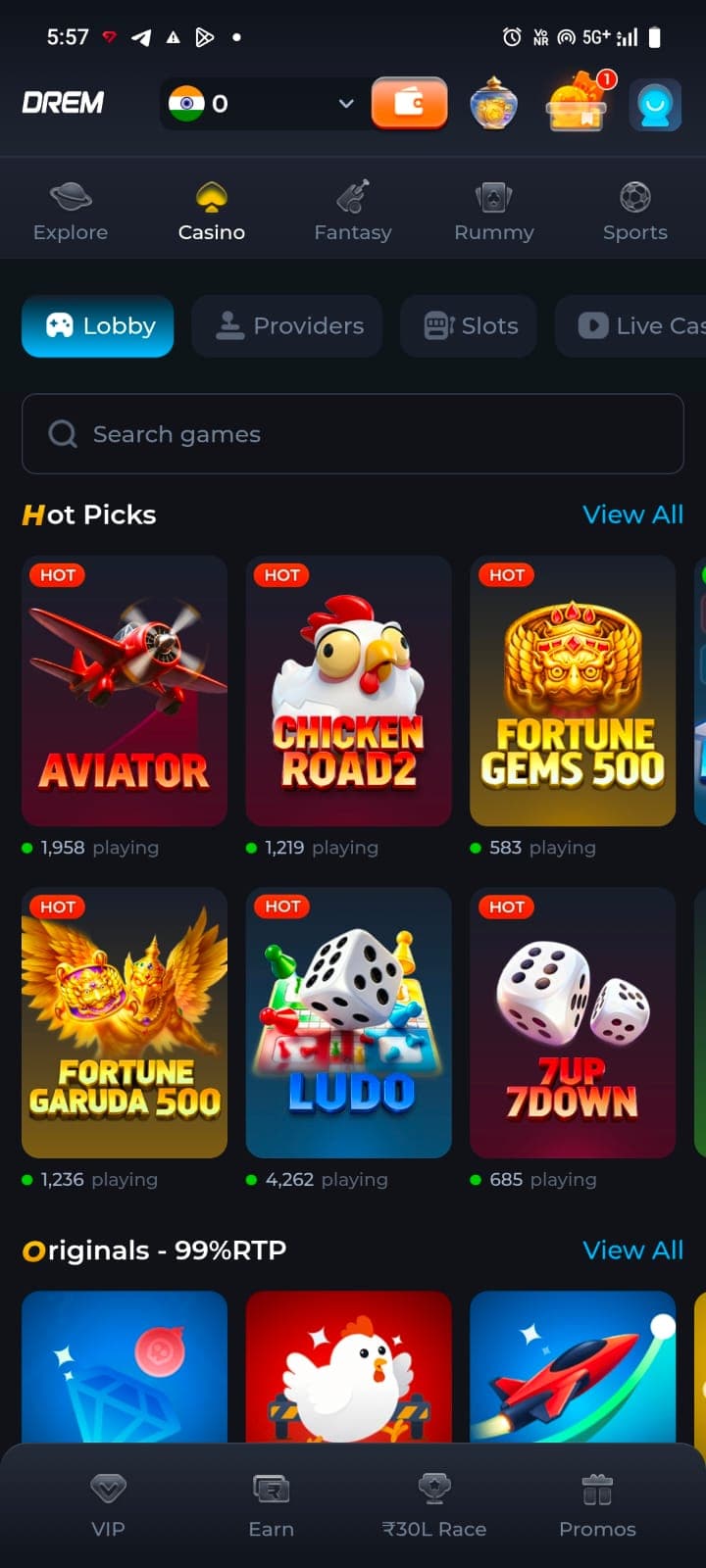
Casino & Arcade Lobby
Casino catalog showing sub-categories like Lobby, Providers, Slots, and Live Casino.
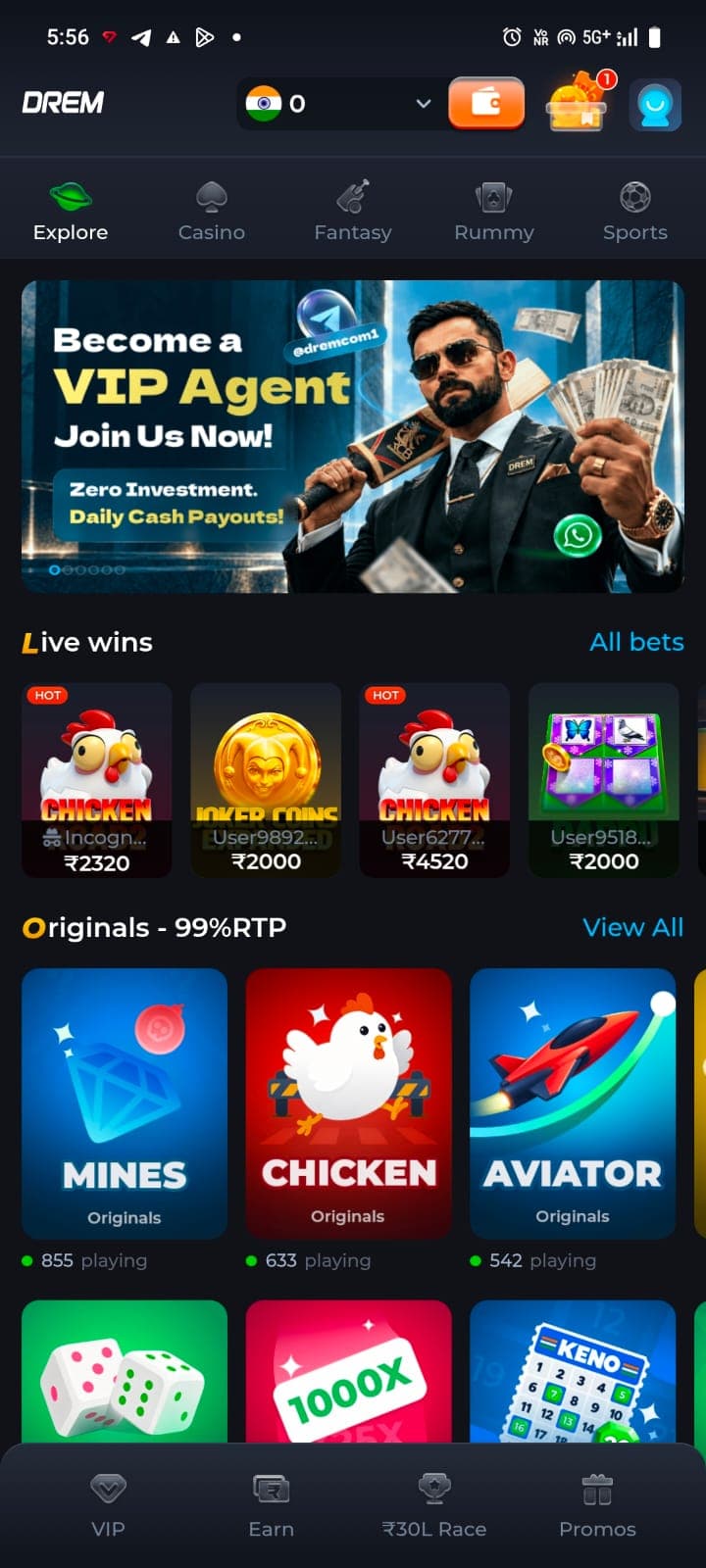
Explore Hub & In-House Originals
The Explore dashboard presenting live recent winnings ticker and custom mini-games.
Frequently Asked Questions
How do I fix the 'There was a problem parsing the package' error?
This typically occurs when the APK file download was incomplete or corrupted, or if your Android OS version is incompatible with the minimum SDK level required by DREM.
Is it safe to leave 'Install Unknown Apps' permanently turned on?
No. You should always revoke the unknown source permission immediately after completing a verified installation to prevent silent background downloads.