
DREM Login and Registration: A Practical Troubleshooting Guide
How to set up your DREM account smoothly, solve SMS verification delays, safeguard your login credentials, and handle wallet verification procedures.
Editorial & Compliance Notice:
This article analyzes verified application interface captures for educational and security audit purposes. DREM contains real-money wagering and referral components which are subject to stringent legal restrictions under Indian law. We do not provide financial advice or endorse unregulated gambling platforms.
Registering an account on a real-money gaming application requires accurate identity details and strict security practices. Whether you are setting up your profile for the first time or resolving an unexpected login lockout, this practical walkthrough explains the DREM login and registration process step by step.
The Standard Registration Workflow
As observed in the application's interface captures, creating an active profile in DREM follows a streamlined mobile verification pattern. After completing the initial DREM app download, users are typically prompted to:
- Enter an active 10-digit mobile phone number linked to your device.
- Input a referral or promo code if you were invited by an affiliate (see our DREM referral code guide for important caveats).
- Create a robust alphanumeric password containing uppercase letters, numbers, and symbols.
- Submit the one-time passcode (OTP) delivered via SMS to authenticate ownership of the phone number.
Before entering personal phone numbers or submitting credentials, take time to verify that your application package is authentic by reading our official sources and installation checks guide.
Resolving Common OTP and Verification Delays
The most frequent complaint among new users is delayed or missing OTP messages. If the verification code fails to arrive within the initial 60-second timer, try these troubleshooting steps:
- Check Telecom DND Settings: Ensure your cellular provider has not blocked transactional or promotional SMS feeds under National Do Not Call registries.
- Verify Signal Stability: Switch to Airplane Mode for five seconds to force your handset to re-register on local cellular towers.
- Avoid Rapid Resend Requests: Tapping "Resend OTP" repeatedly can trigger anti-spam rate limiting, locking your phone number out for up to 24 hours.
If authentication failures persist, inspect whether the app package itself is corrupted by reviewing our Android APK installation troubleshooting guide.
Protecting Your Wallet and Login Credentials
As shown in the application's wallet and balance screen (documented in our DREM app features breakdown), account credentials provide direct access to deposited funds and winnings balances. To safeguard your account:
- Never share your SMS verification codes with third parties claiming to be "DREM customer support agents."
- Do not reuse passwords across multiple gaming or banking applications.
- Be skeptical of unsolicited Telegram or WhatsApp messages promising "account activation bonuses." As noted in screenshot captures, promotional banners link to external channels like
@dremcom1, which should be approached with caution.
For a full breakdown of platform privacy and security risks, consult our DREM app safety and privacy review.
Account Verification and Withdrawal Compliance
Users who participate in tournaments or race leaderboards (analyzed in our DREM app features guide) must typically complete KYC (Know Your Customer) verification before requesting wallet withdrawals. Ensure that your account name matches your banking and tax documents exactly to avoid administrative delays.
We remind all players to review the responsible gaming policy and our site's terms of use. If you have questions about how our review team verifies these workflows, visit our editorial policy or reach out through our contact page.
Supporting Evidence: Verified App Screenshots
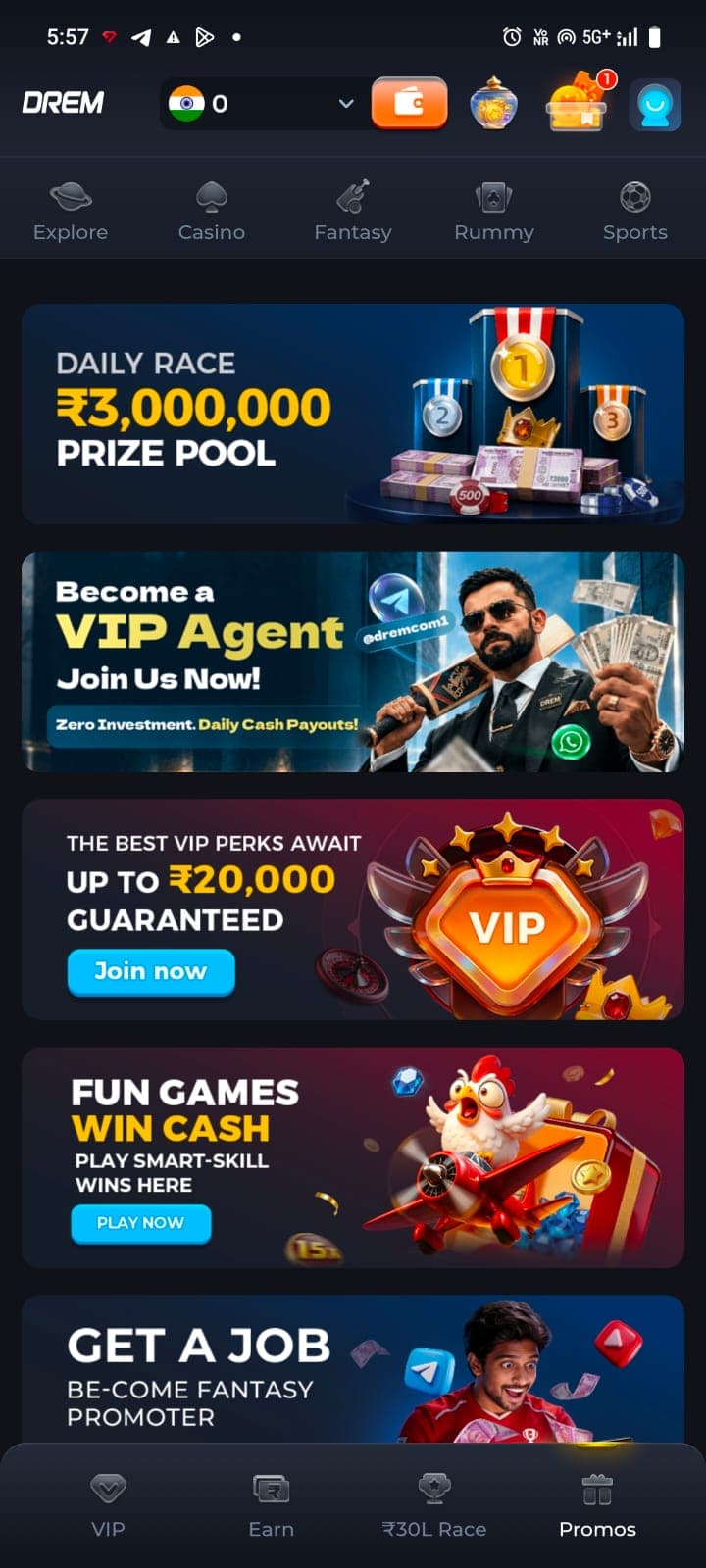
Promotions & Contests Hub
The promotions lobby highlighting the Daily Race pool, VIP agent banner, and guaranteed perks.
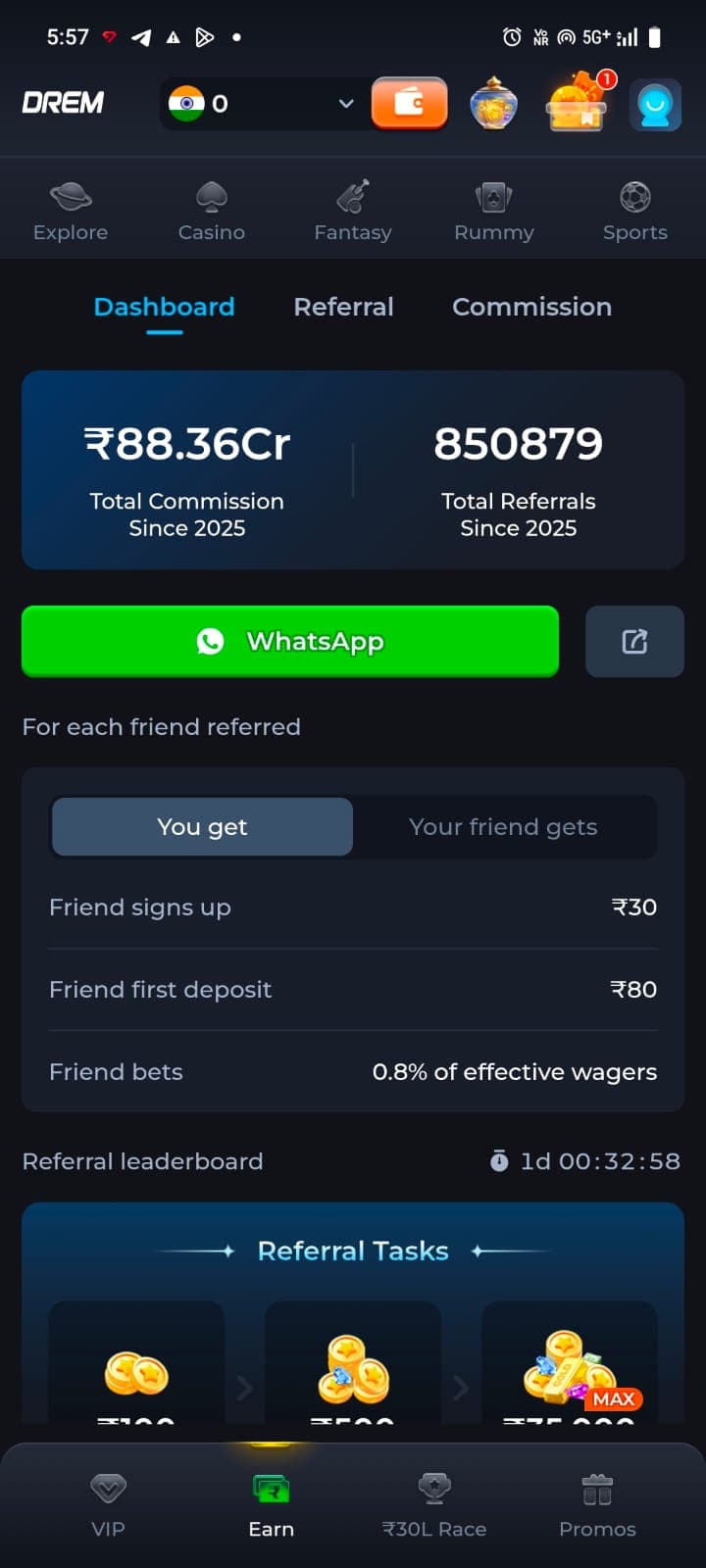
Earn & Affiliate Dashboard
The Earn screen outlining multi-tiered referral rewards and affiliate commission terms.
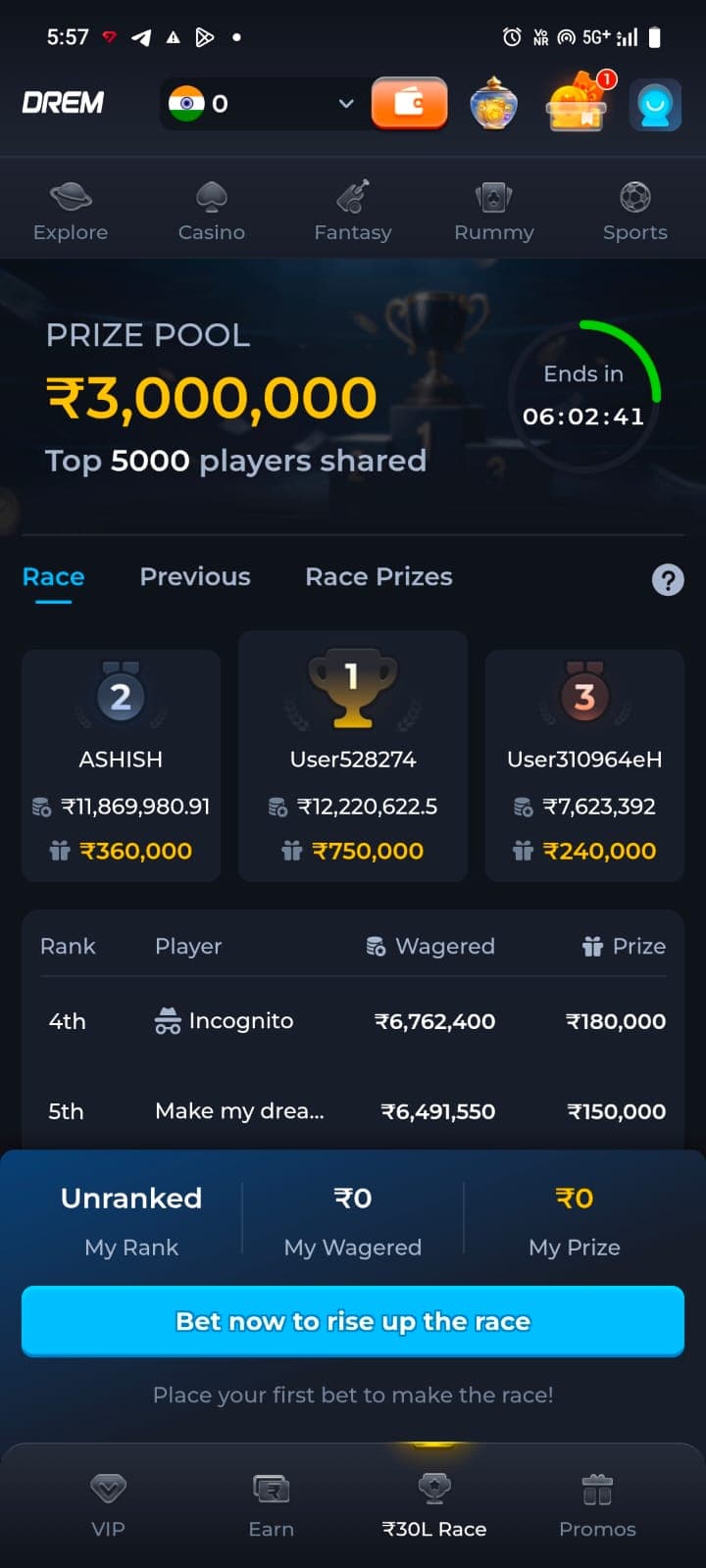
Race & Leaderboard Rankings
Tournament leaderboard tab showing ongoing race standings, wager volumes, and prizes.
Frequently Asked Questions
Why am I not receiving the DREM registration OTP code?
OTP delays commonly stem from telecom network congestion, active DND (Do Not Disturb) filters, or incorrect country code entry during registration.
Can I use multiple accounts on the same mobile device?
Gaming platforms typically implement device-binding and fingerprinting to prevent multi-accounting, which can result in automated account freezes.